|
How do I add a familiar salutation to Mail Merge letters?Article ID: 2339
Last updated: 23 Oct, 2019
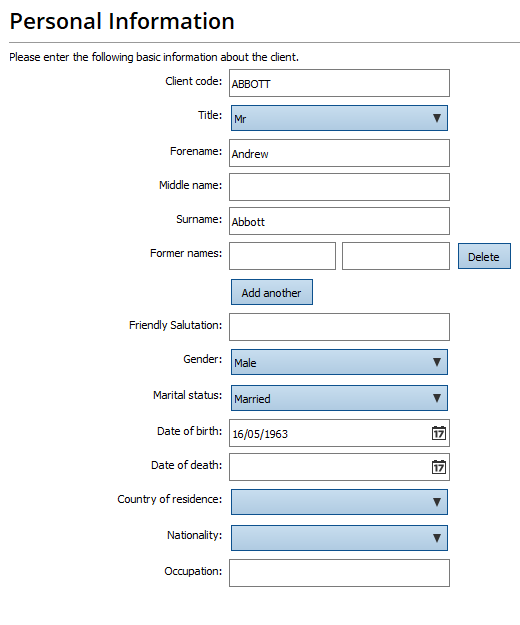
It's now easier to add a personal touch to your Mail Merge letters. When you create a new client, you'll be asked for a Friendly Salutation. If you enter one, Mail Merge will use this instead of the standard 'Dear Mr/Mrs Smith', and so on. To add a friendly salutation to a new or existing client, go to the Personal Information screen and enter the salutation in the Friendly Salutation field.
This article was:
Thank you for your feedback!
|
Accountancy Practices and Tax Advisors
|
Individuals, Businesses, Trusts and Partnerships |
About UsCareers |
Support |
Follow TaxCalc |
Copyright © 2026 Acorah Software Products Limited. All Rights Reserved. TaxCalc, SimpleStep, TaxCalc CloudConnect and The Digital Tax People are registered trademarks of Acorah Software Products Limited. Unauthorised use of these marks is strictly prohibited.
Microsoft Edge, Outlook and Windows are registered trademarks of Microsoft Corporation in the United States and/or other countries. Apple, Mac, Mac OS, OS X and Safari are trademarks of Apple Inc., registered in the U.S. and other countries. Linux is the registered trademark of Linus Torvalds in the U.S. and other countries. Google, Chrome, YouTube and Gmail are registered trademarks of Google LLC, registered in the U.S. and other countries.
Our registered office is: Rubra One, Mulberry Business Park, Fishponds Road, Wokingham, RG41 2GY.
Registered number 03948264 (England and Wales). VAT number: 855 5726 91.