How do I skip the login process?
For improved security, TaxCalc asks you to log in each time you open the program.
However, if you're a single user and don't need multiple logins or this added security measure, you can set TaxCalc to automatically log in for you. You can also set TaxCalc to automatically open Practice Manager tab whenever you log in.
IMPORTANT: If you're a Network user you should use the remember login feature instead of automatic login. This is because the automatic login feature logs you in as the admin user and will also try to log in all users in the Network as the hub admin user. This will make the system unstable and could cause loss of data.
Please note: This functionality is not available for Cloud Connect Users due to 2 factor authentication and security purposes.
Step 1: Open Administration
- Log in to TaxCalc as the hub admin user.
- When TaxCalc starts, launch Administration from the home screen.
- Select Applications from the left-hand menu.
- Select Customise Practice Manager from the left-hand menu.
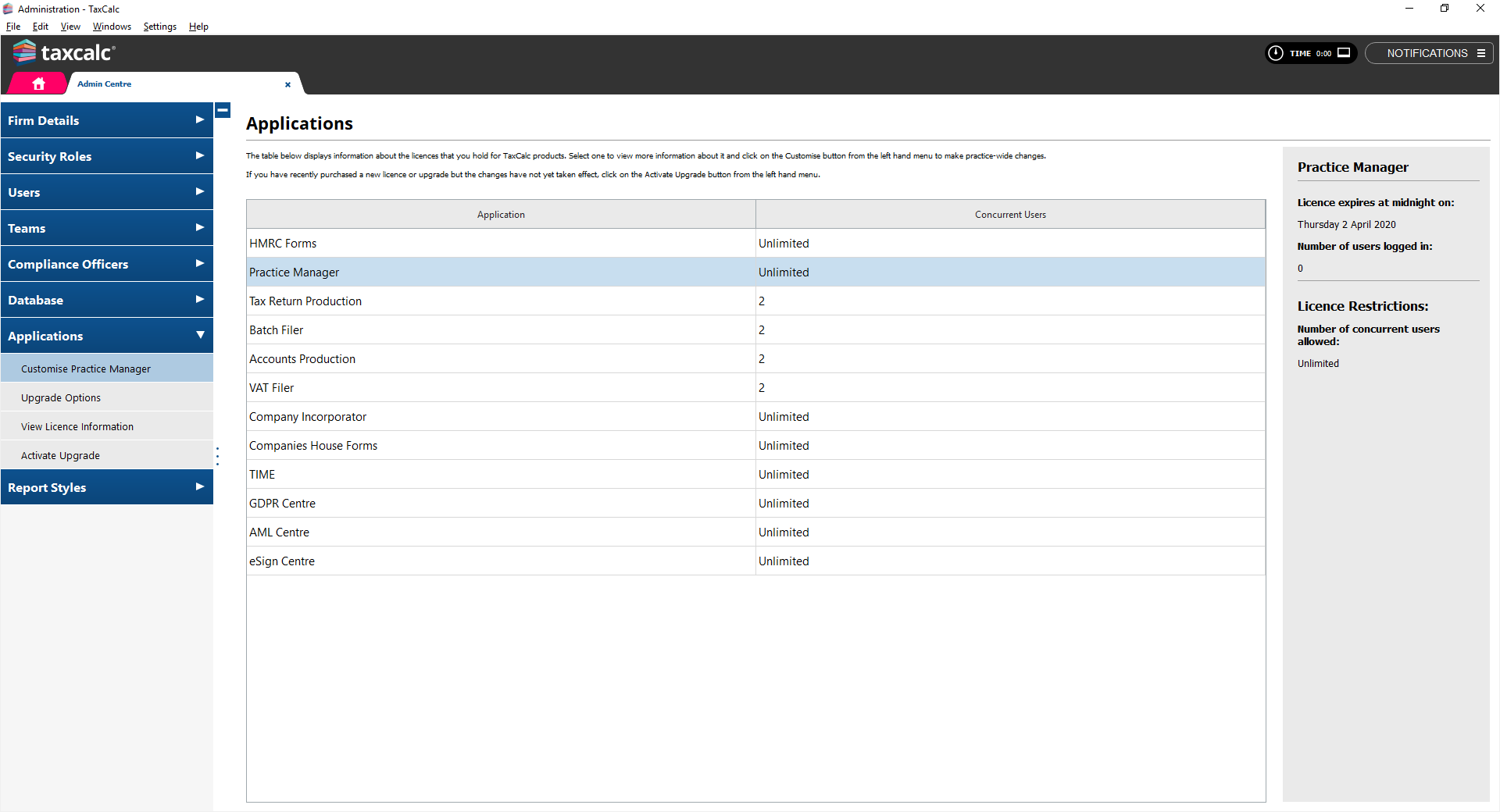
- Double-click on Practice Manager in the central table.
Step 2: Set your startup options
- The Customise Practice Manager tab will open.
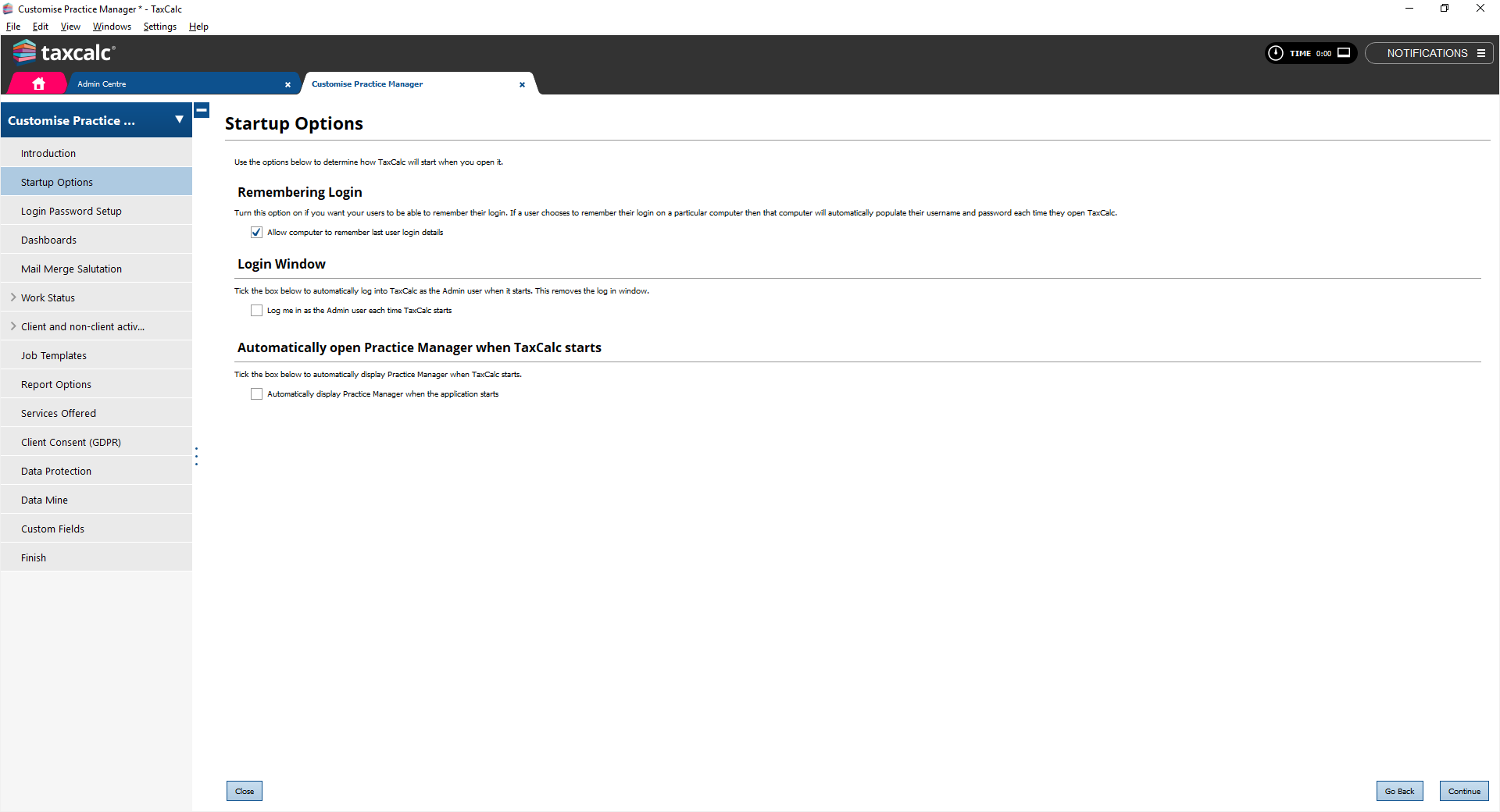
- Select Startup Options from the left-hand menu.
- Tick the box next to the option of your choice:
- Remembering Login – if you want to continue logging in to TaxCalc with your username and password, select this option to remember your username and password on your machine.
- Login Window – if you select this option the login screen won't appear again and you'll be automatically logged in as the hub admin user every time you open TaxCalc. Don't enable this if you're running the Network version and have multiple users. If you later decide to enable logging in again, return to this screen and untick this option.
- Automatically open Practice Manager when TaxCalc starts – if you select this option the Practice Manager tab will automatically open every time any user opens TaxCalc. This option can be used by any users on either Standalone or Network installations.
- Click on Continue until you reach the Finish screen.
- Click on Finish and Save.


 Cookie Settings