Filtering by Office in Dashboard Widgets
Within Dashboards there are two widgets which allow you to filter by Office. This filter option allows you to select an office which will then filter the results using the selection from the client record.
- From the Dashboard select Add Widget.
- Select the Job/Task category.
- Select Jobs assigned to me or Tasks assigned to me and click Add it now.
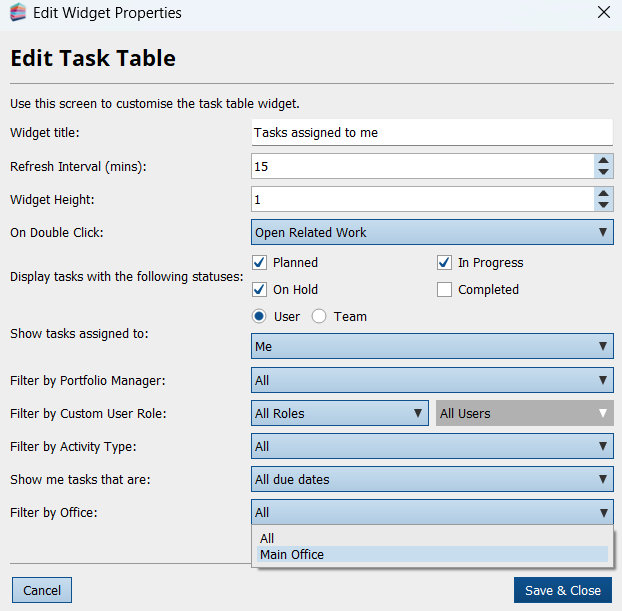
- When you click to Edit to display the Edit Widget Properties dialog, you will see the option to Filter by Office.
You can either select All to display all Jobs/Tasks assigned to you that include all clients and all offices, or you can choose a specific option to display just those clients associated with that office.